
Kubernetes Basics
Why Containers?
Containers revolutionized software deployment by providing:
- Portability — run anywhere, from laptop to cloud
- Cloud-ready — native support across all major cloud providers
- Scalable — easily scale in and scale out
- Declarative — define infrastructure as code
- Microservices-friendly — perfect for distributed architectures
The challenge: Managing hundreds of containers across multiple servers requires orchestration.
What Is Kubernetes?
Kubernetes is a container orchestration platform that handles:
- Deploying and scaling containerized applications
- Networking and service discovery
- Storage orchestration
- Security and access control
- Monitoring and logging
- Automatic resource management across clusters
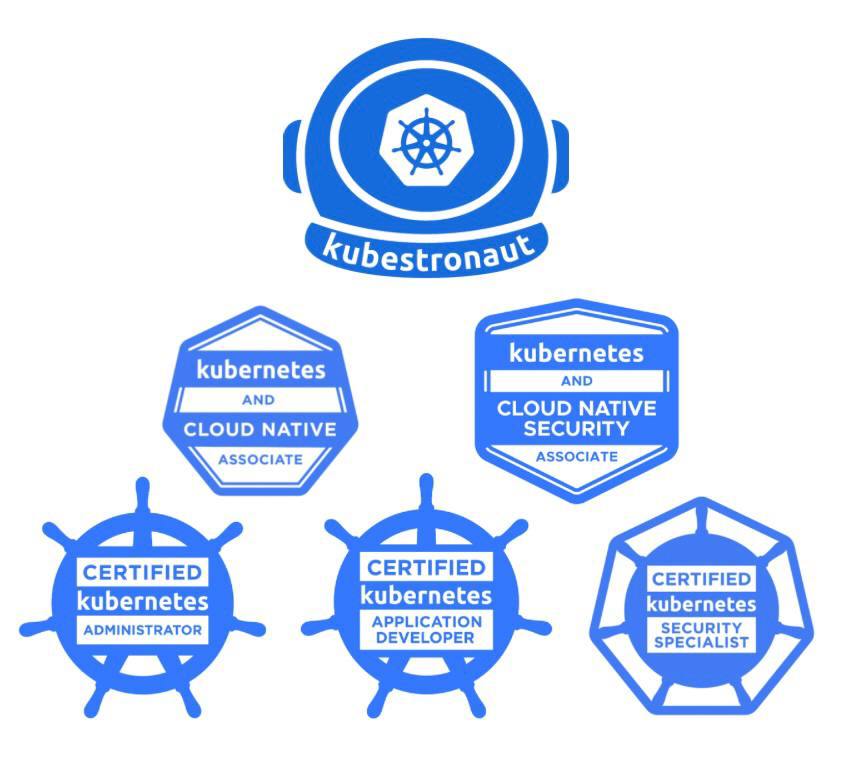
Kubernetes Certifications
The CNCF offers several professional certifications:
- CKAD — Certified Kubernetes Application Developer
- CKA — Certified Kubernetes Administrator
- CKS — Certified Kubernetes Security Specialist
- KCNA — Kubernetes and Cloud Native Associate
- KCSA — Kubernetes and Cloud Native Security Associate
- Kubestronaut — earned by completing all certifications
Learning Resources
| Resource | Description |
|---|---|
| KodeKloud | Video courses with practical labs |
| Killer.sh | Exam simulator |
| Killercoda | Kubernetes playground and scenarios |
| Kubernetes Docs | Official reference documentation |
| Cheat Sheet | kubectl quick reference |
Useful documentation links:
Kubernetes Playgrounds
Get a cluster running quickly for learning and experimentation:
- Killercoda — browser-based labs
- Play with Kubernetes — browser-based clusters
- Minikube — local single-node cluster
- Kind — Kubernetes in Docker
- K3s / K3d — lightweight Kubernetes
- Docker Desktop — built-in Kubernetes
- OrbStack — fast macOS alternative
Core Components
Control Plane
The control plane manages the cluster state:
| Component | Responsibility |
|---|---|
| API Server | Exposes the Kubernetes API — the front door to the cluster |
| etcd | Distributed key-value store for all cluster data |
| Controller Manager | Runs controllers that reconcile desired vs. actual state |
| Scheduler | Assigns workloads to nodes based on resource requirements |
Data Plane (Worker Nodes)
Worker nodes execute the actual workloads:
| Component | Responsibility |
|---|---|
| Kubelet | Manages containers on each node |
| Kube Proxy | Handles network rules for pod-to-pod communication |
| Container Runtime | Runs containers (containerd, CRI-O) |
kubectl — The Kubernetes CLI
kubectl is the primary tool for interacting with Kubernetes clusters.
- Config file:
~/.kube/configstores cluster address and credentials - KUBECONFIG environment variable overrides the default config path
- Context: a combination of cluster, namespace, and user
- kubectx / kubens: utilities for switching contexts and namespaces quickly
Practice Commands
# Cluster info
kubectl cluster-info
kubectl config view
kubectl config get-contexts

# Context and namespace switching
kubectx
kubens

# Explore resources
kubectl get nodes
kubectl get pods --all-namespaces
kubectl api-resources -o wide
kubectl api-resources --namespaced=false
Imperative vs. Declarative
Kubernetes supports two approaches to managing resources:
| Approach | Description | Best For |
|---|---|---|
| Imperative | Direct commands that tell Kubernetes what to do | Quick testing, one-off tasks |
| Declarative | YAML files that describe the desired state | Production, version control, repeatability |
Imperative Examples
# Create a pod
kubectl run my-pod --image=nginx

# Create a deployment with replicas
kubectl create deployment my-deployment --image=nginx --replicas=3

# Scale a deployment
kubectl scale deployment my-deployment --replicas=5

# Expose a deployment as a service
kubectl expose deployment my-deployment --type=NodePort --port=80 --target-port=80

# Create a secret
kubectl create secret generic my-secret \
  --from-literal=username=admin \
  --from-literal=password=secretpass

# Create a configmap
kubectl create configmap my-config --from-literal=port=8080
Declarative Example
Define the desired state in a YAML file:
# pod.yaml
apiVersion: v1
kind: Pod
metadata:
  name: my-pod
spec:
  containers:
  - name: nginx
    image: nginx
Apply it with kubectl apply:
kubectl apply -f pod.yaml
kubectl apply twice is safe — it only updates what has changed. This is why declarative management is preferred for production.Kubernetes Resource Structure
Every Kubernetes resource is defined in YAML with four key sections:
| Field | Purpose | Example |
|---|---|---|
apiVersion | API version for the resource | v1, apps/v1 |
kind | Type of resource | Pod, Deployment, Service |
metadata | Name, labels, annotations | name: my-app |
spec | Desired state configuration | Containers, replicas, ports |
Essential Kubernetes Resources
Pod
The smallest deployable unit in Kubernetes:
- Contains one or more containers sharing network and storage
- Containers communicate via
localhost - All containers in a pod are co-located on the same node
- Supports init containers (run before main containers) and sidecar containers (supporting containers)
Resource Management
| Type | Purpose | Behavior |
|---|---|---|
| Requests | Minimum guaranteed resources | Used for scheduling decisions |
| Limits | Maximum allowed resources | Pod is OOM-killed if memory exceeds; CPU is throttled |
Deployment
Manages a set of identical pods:
- Ensures the desired number of replicas are running
- Supports rolling updates and rollbacks
- Enables canary deployments
apiVersion: apps/v1
kind: Deployment
metadata:
  name: my-deployment
spec:
  replicas: 3
  selector:
    matchLabels:
      app: nginx
  template:
    metadata:
      labels:
        app: nginx
    spec:
      containers:
      - name: nginx
        image: nginx
Service
Provides stable networking for pods:
- Load-balances traffic across pods
- Provides a stable DNS name and IP address
| Type | Access | Use Case |
|---|---|---|
| ClusterIP | Internal only | Service-to-service communication |
| NodePort | <NodeIP>:<NodePort> | Development and testing |
| LoadBalancer | External via cloud LB | Production internet-facing services |
| ExternalName | DNS CNAME | Integrating with external services |
| Headless | Direct pod DNS | StatefulSets, databases |
ConfigMap
Stores non-sensitive configuration data as key-value pairs:
apiVersion: v1
kind: ConfigMap
metadata:
  name: my-config
data:
  key: value
Secret
Stores sensitive data (base64-encoded):
apiVersion: v1
kind: Secret
metadata:
  name: my-secret
type: Opaque
data:
  username: dXNlcm5hbWU=
  password: cGFzc3dvcmQ=
Namespace
Logical partition of a cluster for organizing resources by team, project, or environment.
Labels and Selectors
Labels are key-value pairs that organize Kubernetes resources. Selectors are used to filter and match resources based on their labels — connecting Deployments to Pods, Services to backends, and more.
Workload Types
| Kind | Purpose |
|---|---|
| Pod | Single instance of a running process |
| Deployment | Manages stateless replicated pods |
| StatefulSet | Manages stateful apps with stable identity and storage |
| DaemonSet | Runs a pod on every node (logging, monitoring agents) |
| Job | Runs a task to completion |
| CronJob | Schedules recurring jobs |
Scheduling: Taints, Tolerations, and Affinity
- Taints on nodes repel pods unless they have matching tolerations
- Node Affinity attracts pods to specific nodes based on labels
- Together they control where workloads are placed in the cluster
Storage
| Volume Type | Persistence | Use Case |
|---|---|---|
| emptyDir | Pod lifetime | Temporary shared storage between containers |
| hostPath | Node lifetime | Host-level integration (logging, monitoring) |
| PersistentVolumeClaim | Beyond pod lifecycle | Databases, stateful applications |
| configMap / secret | Read-only | Config files and credentials |
| nfs | Network storage | Shared file access across pods |
Helm — Kubernetes Package Manager
Helm simplifies deploying applications on Kubernetes:
- Charts are packages of pre-configured Kubernetes resources
- ArtifactHub.io is the public chart repository
- Charts consist of:
Chart.yaml(metadata),values.yaml(defaults), andtemplates/(resource templates)
Essential Helm Commands
helm repo add bitnami https://charts.bitnami.com/bitnami
helm search repo nginx
helm install my-release bitnami/nginx
helm upgrade my-release bitnami/nginx
helm list
helm uninstall my-release
Kuberise.io — Putting It All Together
Kuberise.io is an open-source Internal Developer Platform that leverages everything covered in this workshop:
- GitOps deployment with ArgoCD
- App-of-apps pattern for managing all components
- DRY approach — same templates, different values per environment
- Enable or disable platform tools as needed
- Single installation command:
./scripts/install.sh minikube onprem https://github.com/kuberise/kuberise.io.git main onprem.kuberise.dev
Dashboards You Get Out of the Box
- ArgoCD — GitOps deployment management
- Grafana — Monitoring dashboards and alerts
- Keycloak — Single Sign-On and identity management
- k9s — Terminal-based Kubernetes UI
Platform Engineering
Discover what platform engineering is, why it matters, and how Internal Developer Platforms solve the challenges of modern software development at scale.
Kuberise.io Introduction
Get to know Kuberise.io — an open-source Internal Developer Platform that reduces Kubernetes setup from months to minutes with GitOps, pre-configured tools, and self-service capabilities.