
Traffic Management in Kubernetes
Kubernetes Networking Fundamentals
Pods are the smallest unit in Kubernetes, and each pod gets its own IP address. However, pods are ephemeral — they can be created and destroyed at any time, and their IPs change with each restart.
Services solve this problem by providing a stable endpoint (DNS name and IP) that routes traffic to the correct pods, regardless of their lifecycle.
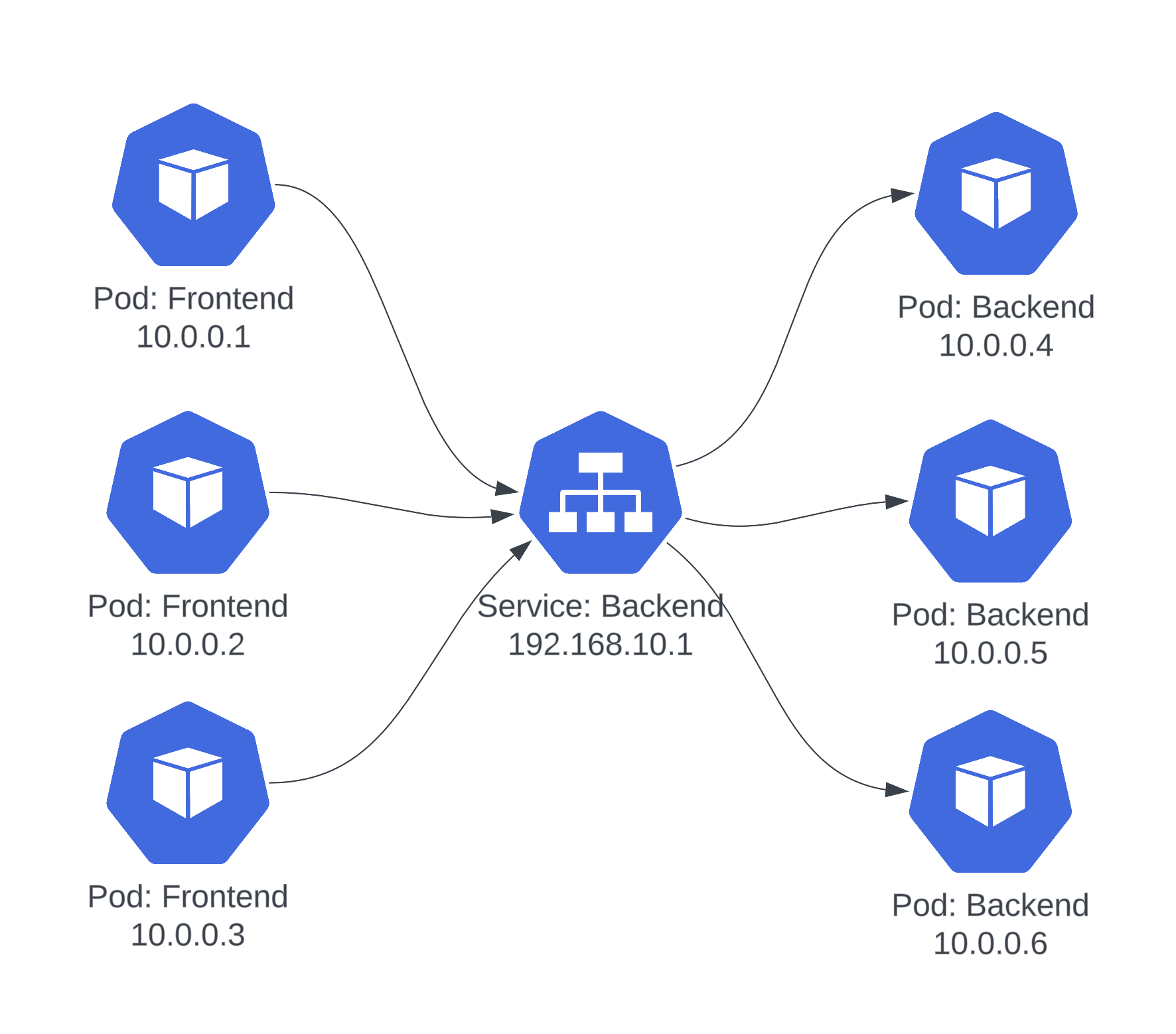
Service Types
Kubernetes offers several service types for different access patterns:
| Type | Access | Use Case |
|---|---|---|
| ClusterIP | Internal only (default) | Service-to-service communication within the cluster |
| NodePort | Opens a port on every node | Simple external access for development or testing |
| LoadBalancer | Provisions a cloud load balancer | Production internet-facing services |
| ExternalName | DNS CNAME mapping | Abstracting external service endpoints |
The LoadBalancer Problem
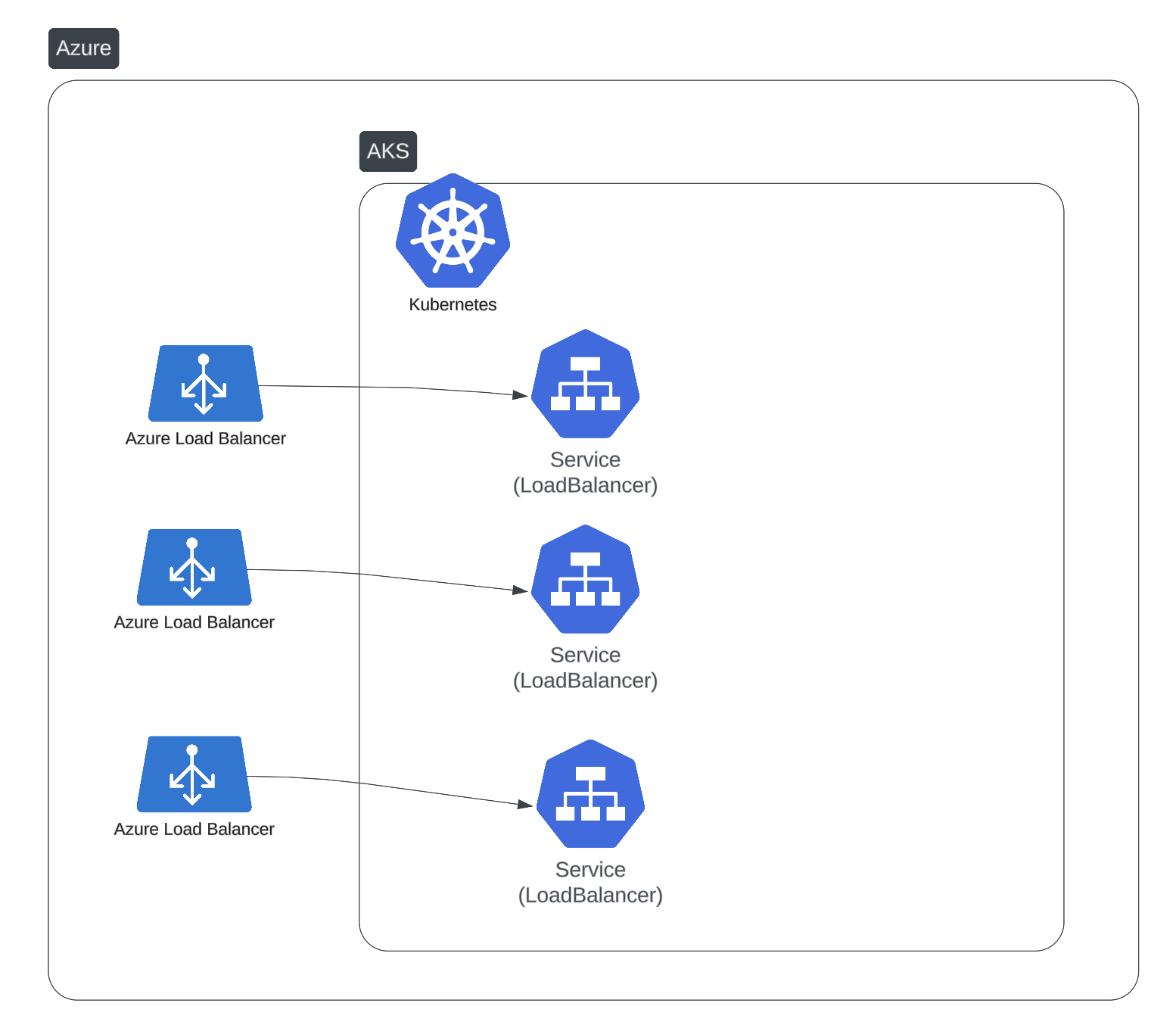
When you create a LoadBalancer service, your cloud provider provisions a new load balancer instance. This works fine for one or two services, but costs escalate quickly:
- Each load balancer costs $20–50/month on most cloud providers
- Managing dozens of load balancers becomes operationally complex
- Each one needs its own DNS records and TLS certificates
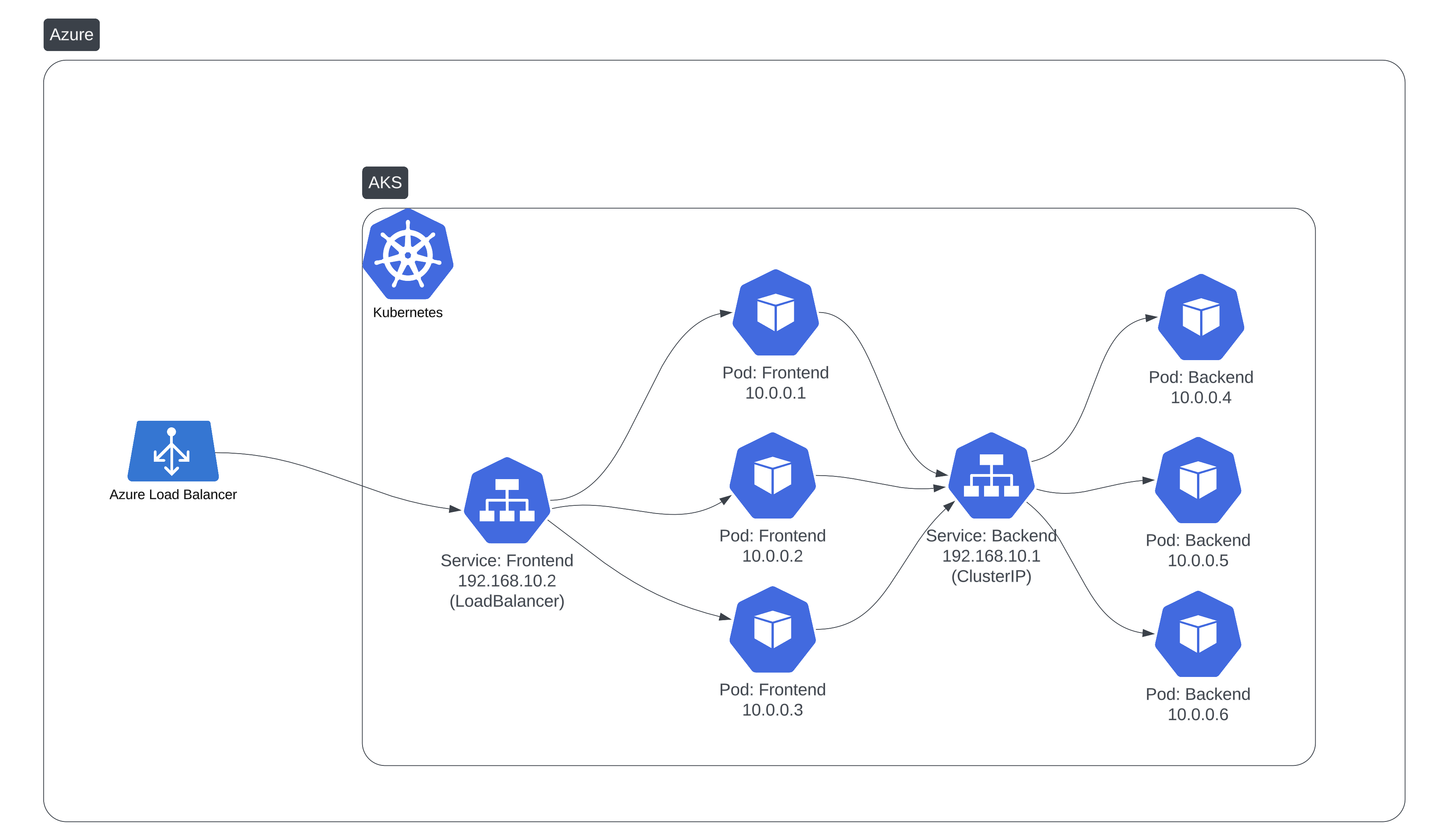
With multiple services, the cost and complexity multiply:
Ingress Controllers: The Solution
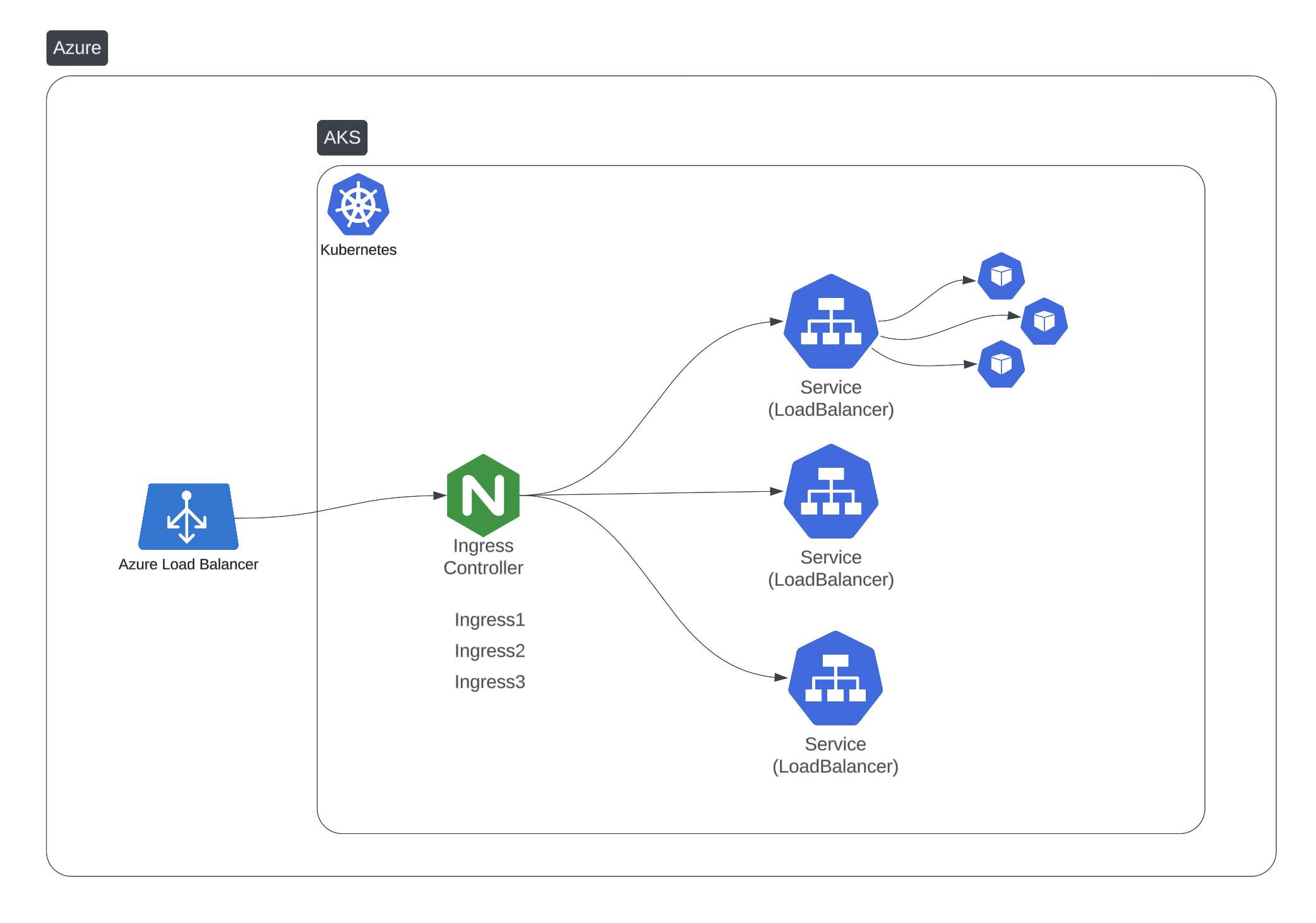
An Ingress Controller acts as a single entry point for all HTTP/HTTPS traffic:
- One load balancer serves all your services
- URL-based routing directs traffic to the right backend
- TLS termination handles SSL certificates in one place
- Host-based routing supports multiple domains
How It Works
- A single
LoadBalancerservice points to the Ingress Controller - Ingress resources define routing rules (host, path, backend)
- The controller inspects incoming requests and routes them accordingly
- TLS certificates are managed centrally with Cert-Manager
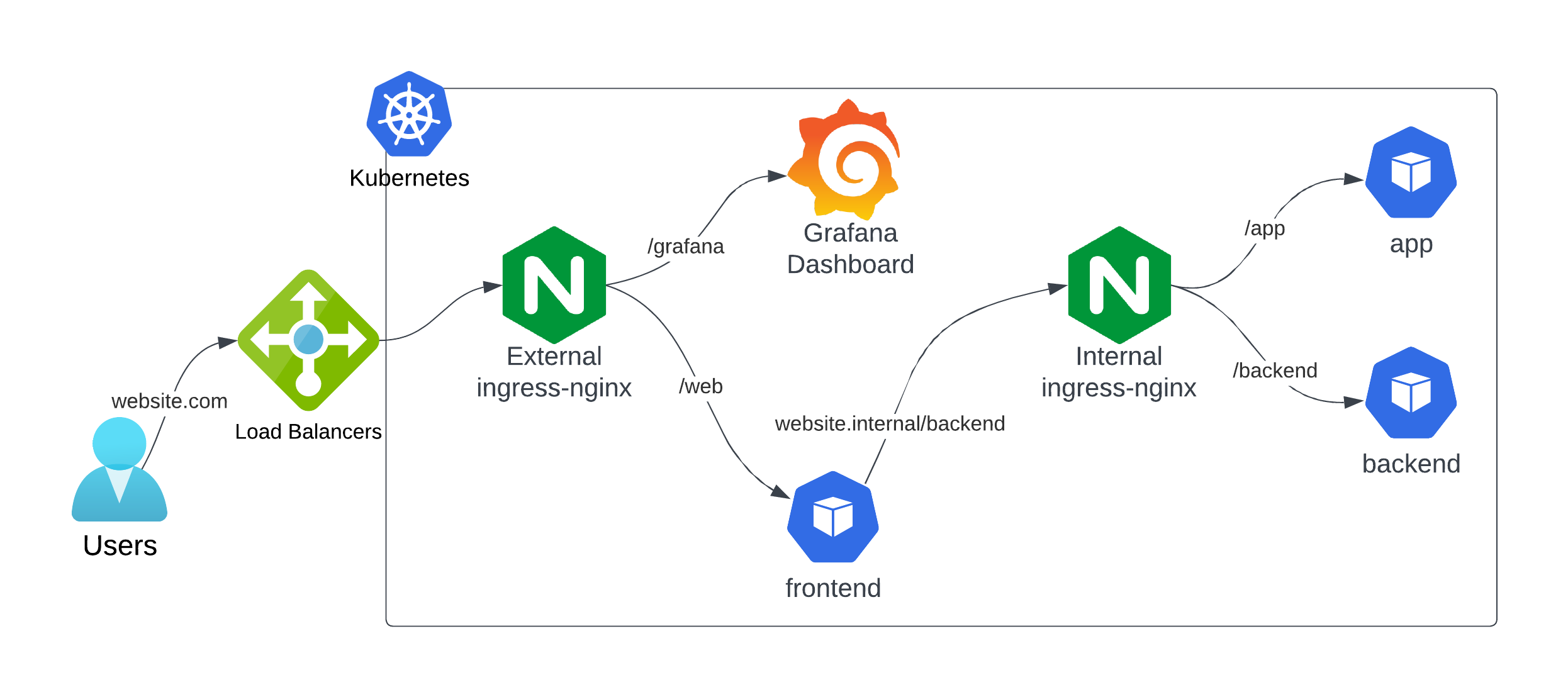
Kuberise's Two-Ingress Architecture
Kuberise.io uses a dual Ingress Controller architecture to separate internal and external traffic:
Internal Ingress Controller
| Property | Value |
|---|---|
| IngressClass | nginx-internal |
| Service Type | ClusterIP (no external LB) |
| Domain | kuberise.internal |
| Purpose | Service-to-service communication |
Internal services can communicate using stable DNS names (e.g., api.kuberise.internal) without exposing anything to the internet.
External Ingress Controller
| Property | Value |
|---|---|
| IngressClass | nginx-external |
| Service Type | LoadBalancer |
| Domain | *.{cluster}.kuberise.dev |
| Purpose | External client access |
Only services that need public access are exposed through the external ingress, keeping your attack surface minimal.
DNS Management with ExternalDNS
ExternalDNS automates DNS record management based on Kubernetes resources:
Internal DNS
For service-to-service communication within and across clusters:
- Uses private DNS zones (Azure Private DNS, AWS Route53 Private, GCP Cloud DNS Private)
- Manages records for
kuberise.internaldomain - Ingress-NGINX-Internal service annotation:
external-dns.alpha.kubernetes.io/internal-hostname: kuberise.internal
- For on-premises clusters, CoreDNS rewrite rules provide the same functionality:
rewrite name kuberise.internal ingress-nginx-internal-controller.ingress-nginx-internal.svc.cluster.local
External DNS
For public-facing services:
- Manages public DNS records automatically
- Supports multiple providers: Cloudflare, Route53, Azure DNS, Google Cloud DNS
- Uses wildcard DNS for the external ingress:
external-dns.alpha.kubernetes.io/hostname: "*.aks.kuberise.dev"
When a developer creates an Ingress resource, ExternalDNS automatically creates the DNS record — no manual intervention needed.
Key Takeaways
- Use Services for stable pod access — never rely on pod IPs directly
- Use Ingress Controllers instead of multiple LoadBalancer services to reduce cost and complexity
- Separate internal and external traffic with dedicated ingress controllers
- Automate DNS with ExternalDNS to eliminate manual record management
- Centralize TLS with Cert-Manager for automated certificate lifecycle
Kuberise.io Introduction
Get to know Kuberise.io — an open-source Internal Developer Platform that reduces Kubernetes setup from months to minutes with GitOps, pre-configured tools, and self-service capabilities.
Policy Management with Kyverno
Learn how to use Kyverno to validate, mutate, and generate Kubernetes resources — enforcing security and compliance policies as code.